
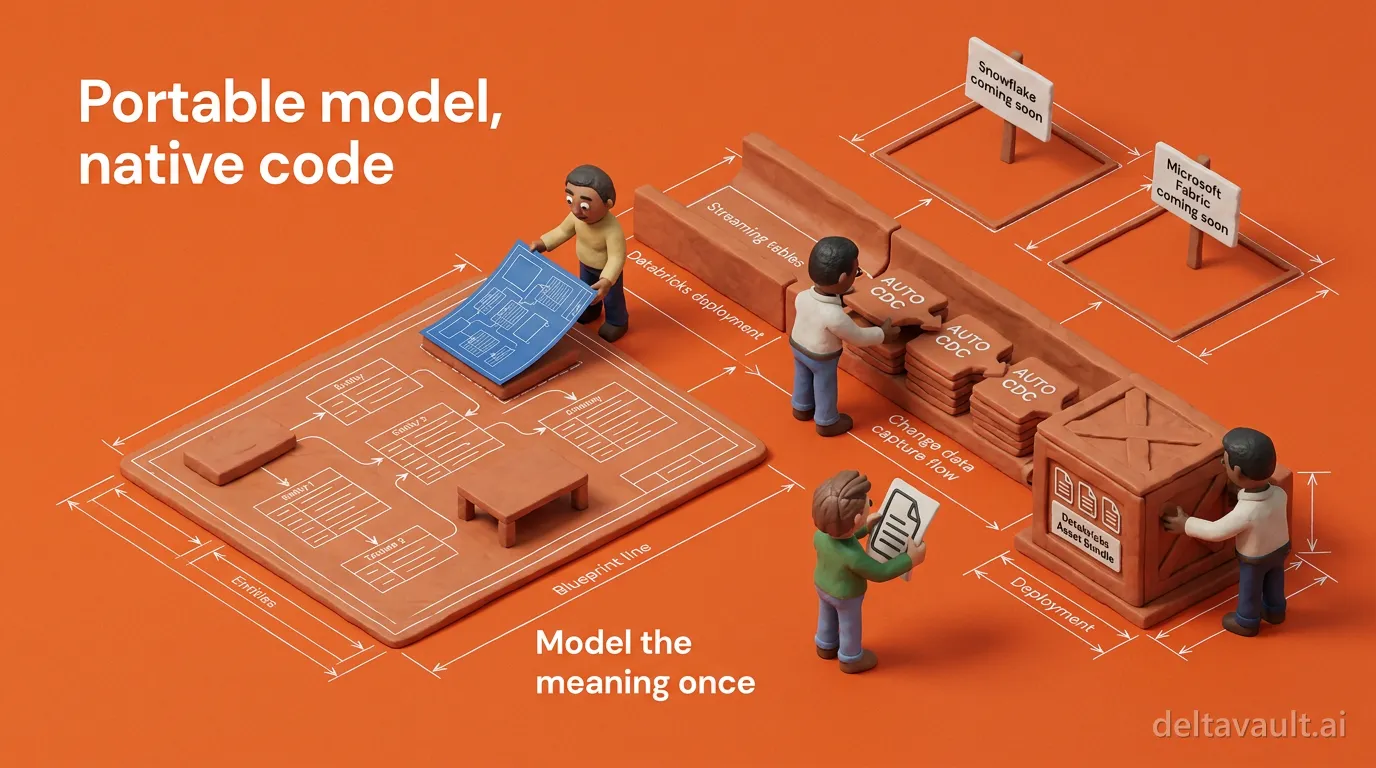
The model is portable. The code is native.
Metadata-driven code generation has to decide where portability lives. Does it live in the code it emits, or in the model it reads? Put it in the code and you get lowest-common-denominator SQL that runs everywhere and uses nothing well. Put it in the model and the code is free to be native to the platform.
DeltaVault puts portability in the model.
The shipped proof is Databricks, where one governed model becomes a complete Lakeflow bundle you review, commit, and deploy through your own continuous integration. Snowflake and Microsoft Fabric are where the same generation contract is heading.
Why not generate portable SQL that runs anywhere?
Because the platforms aren’t dialects of each other.
A dialect difference is bracket quoting versus backtick quoting. A template absorbs that in a line. The differences that matter are structural: how a table loads, how history is kept, how a pipeline is declared and deployed. On Databricks, a dimension that keeps history is a streaming table fed by an AUTO CDC flow, not a merge statement on a schedule. Portable code that ignores that shape is code you’ll rewrite. So the generator saved you nothing.
The neutral part has to live upstream of the code, and in DeltaVault it does.
The model holds the business entities and their approved definitions, the tables and columns, and the mappings between them with column-level lineage. It also holds the governance decisions a steward already made. All of it is versioned as readable YAML on a branch and reviewed before it lands. It’s the agreed model that heads off the medallion three-body problem.
DeltaVault’s description of a table family (source, landing, staging, persistent staging) carries no platform SQL at all. The quoting, hashing, and timestamp functions are applied at render time, by Jinja templates that binding rules pick for each table. So the target platform is a rendering choice, and the meaning never moves.
That’s what lets you manage data, not plumbing. When the default output isn’t your standard, you edit the template and watch the code change instead of editing forty notebooks, because the template engine is yours.
What does a native artifact look like on Databricks today?
Press Build on a Databricks project and DeltaVault renders Databricks Lakeflow pipelines, and everything that deploys them, as an immutable snapshot inside the app. Every file carries a validation status. One table’s failure never stops the rest of the build from rendering. Here’s what the snapshot holds.
- A complete Databricks Asset Bundle holds the bundle definition, pipeline and job resources, declarative code per layer, an idempotent deployment notebook, and a continuous integration workflow.
- Bronze ingestion chosen per source. Auto Loader handles files, a declarative ingest pipeline handles a database source’s ingest mode, and Lakeflow Connect is used where it applies.
- Gold as declarative objects. Dimensions are streaming tables that apply change data capture through AUTO CDC, and facts are materialized views over the current rows of their dimensions.
- Data Vault objects. Hubs and links are insert-only loads, satellites are versioned inserts with full history, plus business vault, reference tables, and point-in-time and bridge objects.
- Governance that leaves the catalog. Every governed column carries its classification into Unity Catalog column tags, with a certified tag once its definition is approved.
- Orchestration and tests from the same lineage. Workflows are wired from the catalog’s lineage, and a test declared once on a source table becomes a companion step on your platform.
The bundle follows the bundle format Databricks documents for source control and delivery (now named Declarative Automation Bundles). So there’s nothing in it proprietary to DeltaVault. The keys, sequencing, delete handling, and history type of every AUTO CDC flow come from the table’s metadata rather than being typed by hand. Why Data Vault on Databricks takes that shape is the subject of Data Vault needs new rules for lakehouse.
The staging load can be authored in SQL or Python through a target platform setting, not a second generator. Committing is a deliberate second step. After review, one action pushes the exact snapshot to your connected repository and stamps the run with the commit hash. A build with an artifact that failed to render cannot be committed at all. DeltaVault never pushes to a Databricks workspace. Your own continuous integration deploys the bundle, as it would one you wrote by hand. So what does native mean here? It’s the artifacts a Databricks engineer would build, in the shape the platform runs best, not Databricks-flavored SQL.
Snowflake and Fabric get the same contract, not a translated bundle
Open the target platform picker today. You’ll find Databricks offered and the other platforms marked as coming soon. We’d rather say that plainly than sell you a target that isn’t offered yet. The direction is set. The Snowflake and Microsoft Fabric targets will honor the generation contract that ships on Databricks. A governed model goes in and native artifacts come out, reviewed in the app, committed to your repository, deployed by your continuous integration. Neither will be a Databricks bundle with the syntax swapped. Snowflake will get warehouse-native loading in the shapes a Snowflake engineer expects. Fabric will get artifacts that respect its two compute models, Lakehouse and Warehouse, instead of pretending they’re one.
What won’t change is the input. The model you govern for Databricks now, with its definitions, mappings, lineage, and classifications, is the model those generators will read. Every hour spent on meaning is spent once, and that’s the only kind of data warehouse automation that survives a platform decision.
Keep the model stable. Change the target, not the meaning. To see native output on the platform where it ships today:
- Open a Databricks project in DeltaVault and press Build.
- Read the snapshot file by file, validation badges and all.
- Commit it, and watch your own continuous integration deploy the bundle.