
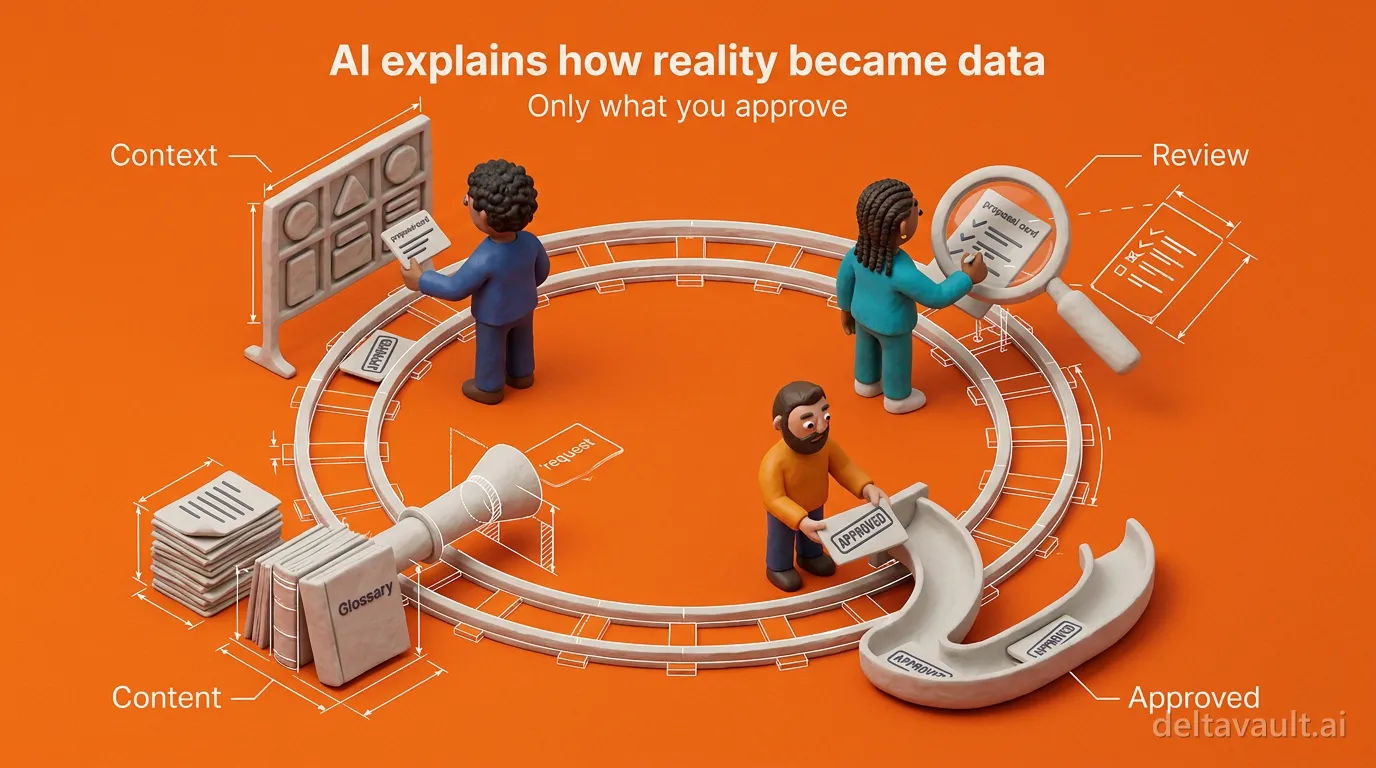
AI that explains how reality became data
A column is not a definition, and a table is not a process. Ask an AI what a column means and the best it can do is read the schema, which only records how one application happened to store something. What you actually need to know is how reality became that data: which business event happened, what your team agreed to call it, and which process turned it into a row.
No prompt carries that understanding. That is why DeltaVault does not run its AI on one-off prompts. Every AI action in the product follows the same five steps, whether it is proposing a business domain, matching a source table, or shaping a view:
- Set the context.
- Bring in the content.
- Describe the outcome.
- Review the proposal.
- Refine and approve.
This post maps the loop, and the posts that follow walk through each step.
Why is a one-off prompt not enough for a data platform?
A prompt is one person’s memory of the context, typed into a box on a deadline. The answer comes back as text, someone re-keys it into the catalog, and whatever shaped that answer evaporates when the tab closes. Nobody audits that workflow, and nobody budgets for it. The deeper problem is what the AI is reading: columns and tables instead of your approved business meaning, which is how you end up with plausible answers about somebody else’s business. Because the recommendations are hard to inspect, approving one means rebuilding the reasoning yourself.
Human in the loop AI, as most products practice it, fixes none of this. It puts you at the end of a process holding an approve button. DeltaVault’s answer is that the human starts the loop: your context enters at the first step and rides through every step after it. AI governance for data platforms begins there, not at the signature.
How DeltaVault runs every AI action through one loop
Five steps make up the loop, and the first two happen before you ask for anything. You set the context first, because business context for AI is authored once instead of pasted in each time: your business categories, each marked as an event or a concept, plus your naming convention and your classification schemes. All of it lives under Settings and Conventions, and every conventions-aware skill reads it. Then you bring in the content. Glossaries, requirements, source documentation, and domain notes go into the knowledge base. With those inputs grounded, you describe the outcome you want in plain language, and the Ask AI panel routes the request to the right published skill. From there the AI proposes rather than acts. A model, a mapping, a relationship, a view, or a metadata change arrives as a plan you review item by item. The last step is refining and approving: edit a proposal, reject one, or say the change you want and read the result. Only what you approve is applied.
Note: Glossaries and requirements reach the model in full whenever they fit the context budget.
Underneath all five steps, every AI capability in DeltaVault is a skill, meaning a published, versioned configuration that declares its prompt, its inputs, the context it reads, the actions it may take, and how results come back. A result returns as actions the product knows how to apply, not a paragraph you re-key, and those applied actions pass the same role checks as a human edit and land in the same audit log. Every run also records exactly what context was sent and what was dropped. That write path is what makes DeltaVault an AI-native data platform rather than a catalog with a chat button.
The same five steps, whatever the AI is doing
The loop is not a modeling feature. It is the shape of every AI action in the product, so you learn it once and it holds everywhere.
- Domain recommendations come back as selectable cards in the chat thread, and the run parks while you pick, spending nothing until you do.
- The modeling workshop proposes concepts onto your model’s own canvas, each one carrying its reasoning, so you can accept, rename, move between lanes, or dismiss them one at a time.
- Map and Match scores every suggested table or column match, attaches a written rationale, and writes the mapping only once you accept it.
- Ask for a view in plain language and the proposal opens the view designer pre-populated, with nothing created until you save.
- Ask the AI to tighten a knowledge document and the rewrite arrives as an inline diff you accept or reject change by change.
Because context and content come first, those proposals speak your language. A workshop run sorts what it finds into your own category lanes, titles each unit of work by its verb (“Customer places Sales Order”), and records why each concept earned its place. That is what an AI data catalog looks like when it is built to explain how reality became data rather than summarize a schema, and it is the difference between metadata management you can audit and a chat panel you can only quote.
Refine feeds the next run
The last step feeds the first one. When you accept AI context alongside a proposal, every later run against that row inherits it, and so does every descendant: a column inherits from its table, an entity from its model and its domain. Re-run the domain skill and it updates what already exists instead of duplicating it. The same request therefore draws on more of your own decisions each time you make it. That is how the standards world frames trustworthy AI: in the AI Risk Management Framework from the National Institute of Standards and Technology, governance runs through the whole lifecycle rather than arriving as a check at the end.
So start where the quality of everything downstream is decided. Open Settings, choose Conventions, and define your categories, because business context is a setting, not a prompt. The rest of the how we use AI series picks up the thread from there, giving the AI content rather than more prompts and then running the workshop through the last three steps on a model of your own.