
Meaning Leaks at Every Handoff
Most data platforms lose the business somewhere between the definition and the table. The definition lives in a catalog, the structure in a modeling tool, the lineage in a third application, and the implementation in source control. Every handoff between them leaks a little meaning and a little accountability.
By the time the pipeline runs, the Customer your stakeholders agreed on and the customer hub your engineers loaded are related by folklore. Earlier posts in this series guard the business side: business context is a governed setting that every AI skill reads, and the modeling workshop writes nothing until you apply. This post takes the next step, where approved meaning becomes a technical data model: a Data Vault, a dimensional model, or a medallion architecture with its bronze, silver, and gold layers, without losing itself on the way.
Why does meaning drift between the business model and the warehouse?
Meaning drifts because the tools never share a record. Your glossary entry is a paragraph in one product, the hub is a box in another, and the lineage graph is harvested after the fact from query logs by a third. The load code, meanwhile, sits in a repository that knows nothing about any of them. Every translation between those four artifacts is done by a person working under a deadline, and each handoff is another chance to drop a qualifier, rename a key, or lose the reason a satellite was split in the first place.
Accountability drifts along the same path. The mapping from a source column to a business attribute was approved once, but the approval lives in an email thread, so nobody can say whether it survived the last source change. This is not a problem of careless people. The meaning simply has no medium that survives the handoff.
How DeltaVault keeps the business attached to the technical model
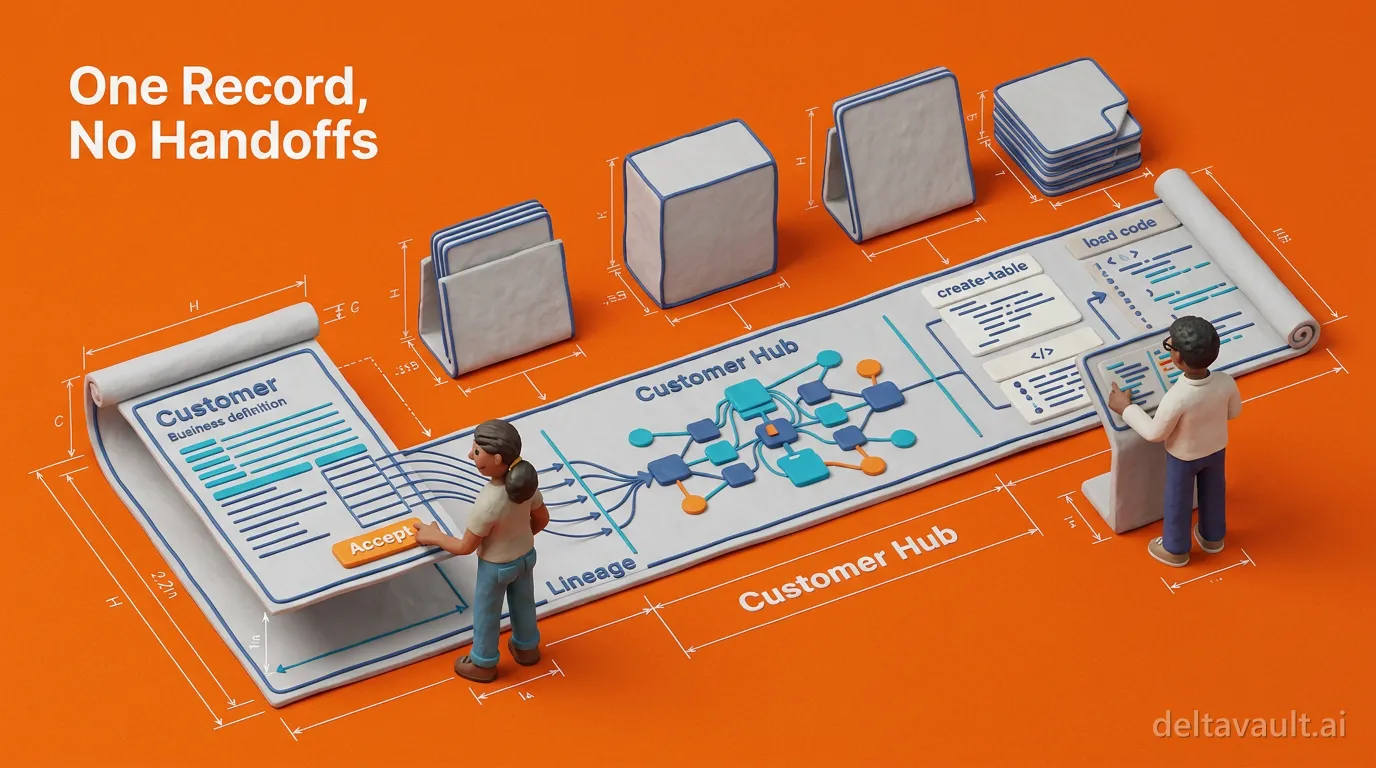
DeltaVault keeps business and technical metadata in one record. Definitions, structures, mappings, and lineage live on one branch, get reviewed on one commit screen, and land in Git as readable YAML. Three moves build the technical model on top of the business one, and each of them writes back to that same record.
The structures are visible and reviewable, not implied by code
Data Vault modeling starts with a right-click on a staging table. A deterministic engine decomposes that table into hubs, links, and satellites on a canvas inside the catalog, and from there you unify links, split satellites, and reclassify until the shape is right. A dimensional model gets its own star-schema canvas. The workspace canvas lays your layers out along the dependency graph. Nothing physical exists until you materialize, and materialization runs through the same review-and-diff step as every other change, so every structural decision ends up as a diff someone actually read. The model is a working surface, not a picture beside the warehouse.
AI does the repetitive parts, and every proposal stays inspectable
AI skills take the rote work on those canvases.
- Ask for a view in plain language. The assistant resolves the table names against your catalog, never inventing them, and opens the view designer pre-populated for you to correct and save.
- Run Discover keys and relationships. It scans the selected tables for primary keys, business keys, and foreign-key-style relationships, and returns each relationship with a confidence score and a reason.
- Run enrichment. It drafts table and column descriptions and proposes a business name and a matching entity, while a sibling skill classifies sensitive columns.
None of these write to the catalog until you accept, and an accepted write goes through the same role checks and audit trail as a human edit. What stays on your desk is judging the proposal, not typing the answer. Where the source does not hold the model’s shape, discovered relationships and drafted views build the bridge.
Map & Match ties every table and column back to approved meaning
The third move is what keeps the business attached. Map & Match proposes which business entity each source table represents and which attribute each column maps to, grounded in the names, shapes, row counts, and profiling the catalog already holds. Every suggestion carries a confidence score and a rationale, and nothing changes until a person accepts it. Once a table is linked, the entity’s name becomes its business name downstream, so the accelerator names the hub from Customer rather than from whatever the source system happened to call the table. Classify the Email Address attribute once, and every column mapped to it carries that classification across landing tables, staging tables, and vault satellites.
Lineage rides the same record. Click a column on the Lineage tab and its whole path lights up, every ancestor and every descendant, across as many hops as the pipeline has, because every derived column records which source columns feed it. Column-level lineage is written when the mapping is made, never reconstructed during an incident.
The result is a contract, not a diagram
Put the three moves together and what you hold is not a picture of the warehouse. It is a governed generation contract, with business meaning, technical structures, mappings, and approved decisions gathered into one reviewed record. The template engine reads that record directly and renders the create-table statements and load code for Databricks, Snowflake, or Microsoft Fabric. When a mapping or a definition matters enough to enforce, an administrator can set a gate that blocks a build until it is complete.
So the Customer in the glossary and the customer hub in the vault stop being related by folklore. They are related by a mapping someone accepted, a structure someone reviewed, and a lineage edge nobody had to draw. To watch the contract form on your own metadata:
- Link one source table to the entity it means from its Details tab, or let Map & Match propose the link.
- Accelerate a Data Vault from its staging table and watch the hubs take the business name you approved.
- Open the Lineage tab, click any column, and follow its path back to the source.